
Download One Chat Lite – Free All‑in‑One Messenger for Windows, macOS, Android & iOS
Overview
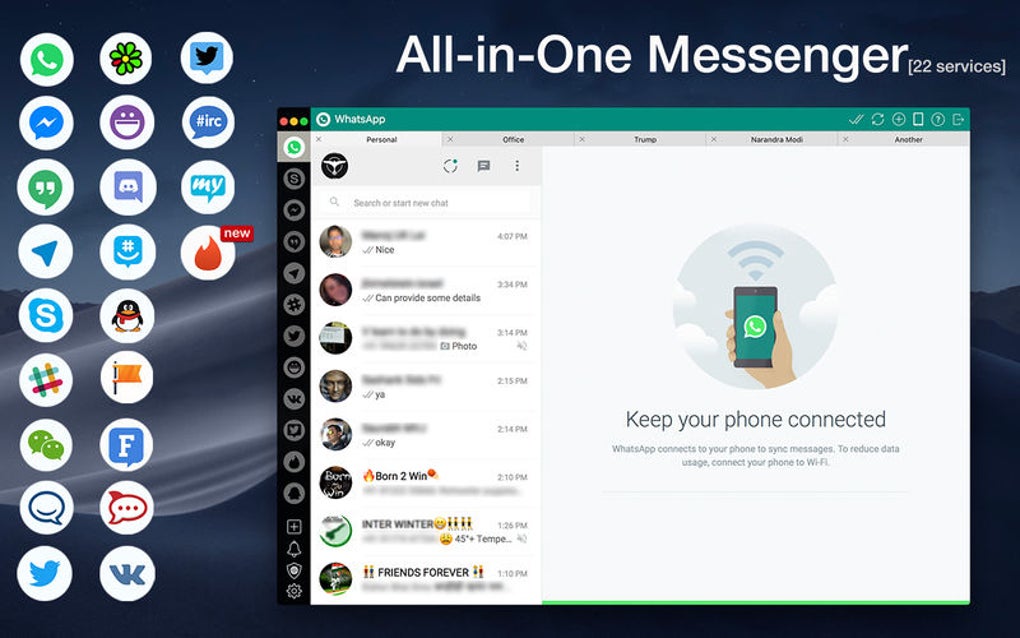
One Chat Lite is a free, all‑in‑one messenger that consolidates the most popular chat platforms into a single, easy‑to‑use interface. Whether you juggle WhatsApp, Facebook Messenger, Skype, Slack, Microsoft Teams, or even niche services like Tinder and Zoom, One Chat Lite brings them together under one roof. The app supports over 20 messaging services, allowing heavy users to switch between conversations without constantly opening and closing separate applications.
Beyond simple aggregation, One Chat Lite adds quality‑of‑life enhancements such as scheduled messages, unified notifications, and a customizable quick‑reply bar. The result is a smoother, less fragmented communication experience that saves time and reduces notification overload. Because it’s free and regularly updated, users receive new integrations and security patches without hidden fees.
Whether you’re a remote worker coordinating across Slack and Teams, a social butterfly hopping between Instagram DM and WhatsApp, or a gamer chatting on Discord while keeping an eye on Telegram, One Chat Lite aims to be the single hub for every conversation.
Core Features
- Multi‑Platform Aggregation: Connect up to 20 messaging services, including WhatsApp, Facebook Messenger, Skype, Slack, Discord, Telegram, Signal, Viber, Line, and more.
- Unified Inbox: View all chats in one scrollable feed, with clear icons indicating the originating app.
- Scheduled Messaging: Draft messages and set a future delivery time for any supported platform.
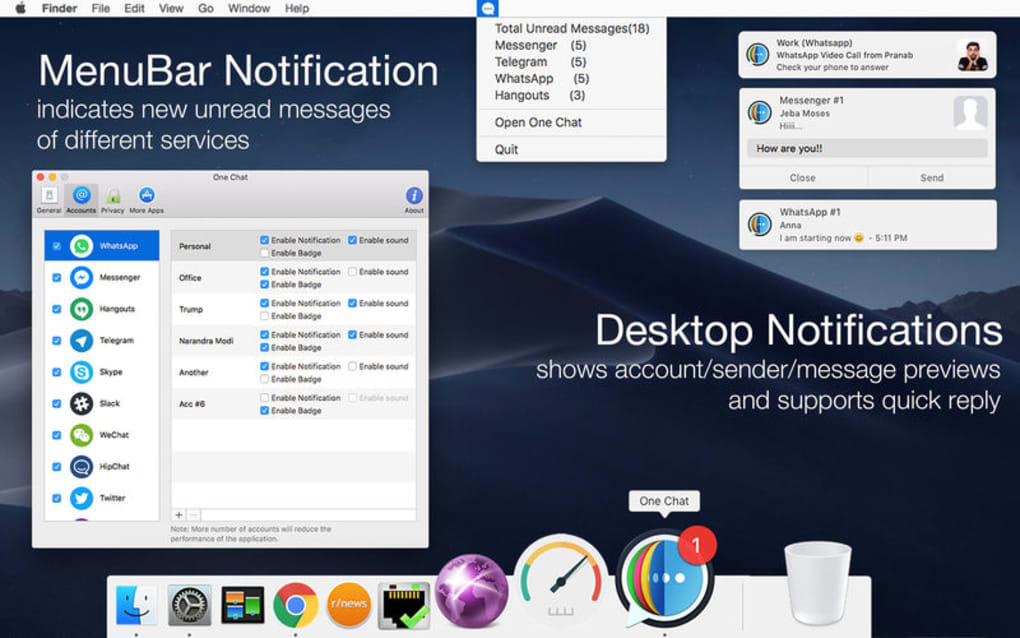
- Smart Notifications: Consolidate alerts so you’re only pinged once per incoming message, with priority settings per service.
- Quick‑Reply Bar: Access common emojis, GIFs, and stickers without leaving the unified view.
- Cross‑Platform Sync: Your chat list and preferences sync automatically across Windows, macOS, Android, and iOS.
- Secure Data Handling: End‑to‑end encryption for supported services and local storage encrypted with AES‑256.
- Custom Themes: Light, dark, and high‑contrast themes to match your workflow or accessibility needs.
- Free Updates: Regular feature rollouts and security patches delivered at no cost.
- Minimal Footprint: Optimized for low CPU and battery consumption on mobile devices.
Installation, Usage & Compatibility
Installing One Chat Lite is straightforward on all major operating systems. On Windows, download the installer from the official website, run the .exe file, and follow the guided setup wizard. macOS users receive a signed .dmg package that can be dragged into the Applications folder. Android users locate the app on the Google Play Store, while iOS users download it from the Apple App Store. The installation size ranges from 45 MB on desktop to 30 MB on mobile, making it lightweight enough for older hardware.
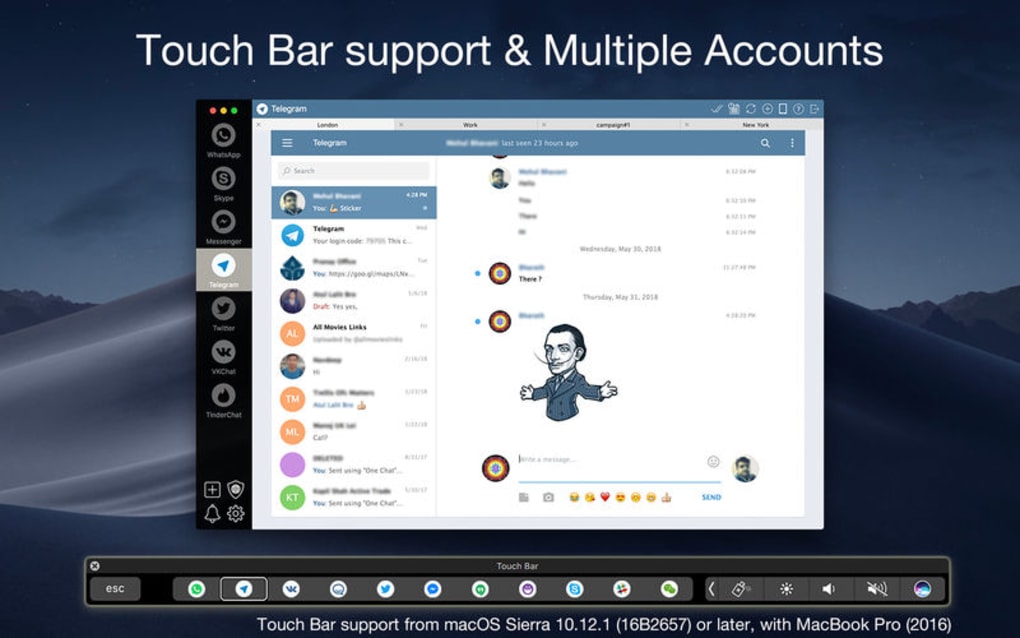
After installation, launch One Chat Lite and sign in with your primary email address. The initial setup wizard asks you to authorize each messenger you wish to integrate. This is done via OAuth or QR‑code scanning, depending on the service. Once authorized, the app imports your recent conversations and displays them in the unified inbox. Navigation is intuitive: a left‑hand sidebar lists connected services, while a top‑right search bar lets you find messages across all platforms instantly.
Compatibility (itemprop="operatingSystem"): One Chat Lite runs on Windows 10 and later, macOS 10.13 High Sierra or newer, Android 6.0 Marshmallow or later, and iOS 12 or later. The app supports both 64‑bit and ARM architectures, ensuring smooth performance on modern laptops, desktops, tablets, and smartphones. System requirements are modest: at least 2 GB RAM and 200 MB free disk space. The developers also provide a web‑based companion portal for users who prefer a browser interface, though full functionality is reserved for the native apps.
Pros, Cons, FAQ & Conclusion
Pros
- Consolidates 20+ messenger apps into a single, organized interface.
- Free to download with regular, no‑cost updates.
- Scheduled messages and unified notifications boost productivity.
- Cross‑platform sync keeps your inbox consistent on desktop and mobile.
- Strong security with end‑to‑end encryption for supported services.
Cons
- Some niche messaging apps may lack full feature parity (e.g., video calls).
- Initial authorization can be time‑consuming if connecting many services.
- Dependent on third‑party APIs; occasional service outages may affect sync.
- Limited offline access – messages sync when an internet connection is available.
- Advanced customization (e.g., custom shortcuts) is still in development.
Frequently Asked Questions
Is One Chat Lite really free?
Yes, One Chat Lite is completely free to download and use. There are no hidden subscription fees, and all updates are provided at no cost.
Can I use One Chat Lite on multiple devices simultaneously?
Absolutely. Your account syncs across Windows, macOS, Android, and iOS, allowing you to stay connected on any device.
Does One Chat Lite store my messages on its servers?
No. The app acts as a secure conduit, pulling messages directly from each integrated service. Only metadata required for synchronization is stored locally and encrypted.
What should I do if a connected messenger stops updating?
First, check the service’s own status page. If it’s operational, try re‑authorizing the connection in One Chat Lite’s settings. Updating the app often resolves compatibility issues.
Is there a way to back up my unified chat history?
One Chat Lite offers an optional local export feature that saves your chat logs as encrypted JSON files, which you can store on an external drive or cloud service.
Conclusion & Call to Action
One Chat Lite delivers on its promise of a truly unified messaging experience. By eliminating the need to hop between dozens of apps, it saves time, reduces distraction, and introduces powerful productivity tools like scheduled messaging. While a few advanced features are still maturing, the core functionality is robust, secure, and completely free. If you’re a power user who relies on multiple chat platforms daily, One Chat Lite is a compelling solution that streamlines communication without sacrificing privacy.
Ready to simplify your chat life? Download One Chat Lite now and enjoy a cleaner, more organized inbox across all your devices.







